
How to delete your account
You can follow the guide below to delete your account from within the FieldAR mobile app.
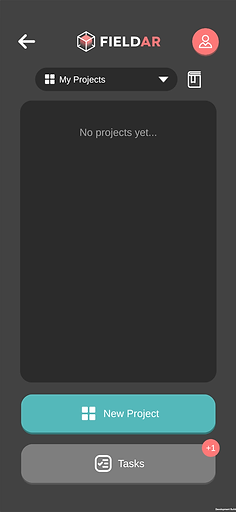
Step 1:
From your Dashboard, open your profile by tapping the Profile button in the top-right corner of the screen.

Step 2:
From your Profile, tap the Settings cog wheel in the top-left corner of the screen to open your Settings panel.

Step 3:
From your Settings panel, tap the text at the bottom of the screen that says
"Delete My Account".


Step 4:
You will be asked to fill out a brief and optional questionnaire, which helps us understand your reason for leaving. Then tap the Continue button.
If you have an Enterprise subscription, you must choose a depart option. You can choose to preserve your company data, or delete it.

Step 5:
For the final step of deleting your account, you must type the email address associated with your account in the field.
Once you tap the Delete button, the app will process your account deletion request, and you will be navigated back to the login screen.